Make public documents more accessible.
Atrium organizes headings, tables and reading order, then helps your team review the details.
You can review and edit the document before exporting it.
Results from the El Campo report
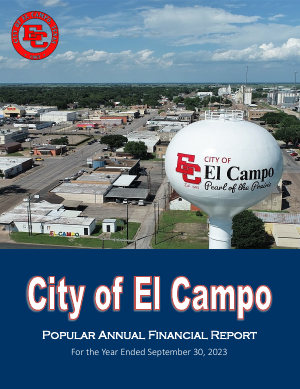
The evaluation compares El Campo’s 16-page financial report before and after remediation.
Results from Atrium's September 2026 build. We'll re-run them on the current build and update this page.
Read the full evaluation| Checker | Original | After Atrium |
|---|---|---|
| CommonLook PDF | 937 flagged instances across 63 checks | 0 errors after link review |
| veraPDF 1.30 | 88 flagged checks across 7 rules | 0 flagged checks |
| PAC 2026.1 | 410 flagged, 183 warnings | 0 flagged, 0 warnings |
Original run: 1 link-destination failure. Destination verified reachable on 2 Nov 2026.
“Flagged” means the checker reported a result that did not pass. Counts use each checker’s own units; warnings, passes and manual checks are listed separately. These are results for one document, not a guarantee for every file.
Measurement details and review notes
| Checker | Original | After Atrium |
|---|---|---|
| CommonLook PDFfull check | 937 flagged instances across 63 checks | 0 errors after link review Original run: 1 link-destination failure. Destination verified reachable on 2 Nov 2026. |
| veraPDF 1.30PDF/UA-1 profile | 88 flagged checks across 7 rules | 0 flagged checks Passes PDF/UA-1 |
| PAC 2026.1PDF/UA-1 | 410 flagged, 183 warnings | 0 flagged, 0 warnings Passes PDF/UA-1 |
Checker profiles, dates and full results for the original and returned files.
CommonLook PDFfull check
- Original
- 937 flagged instances across 63 checks
- After Atrium
- 0 errors after link review Original run: 1 link-destination failure. Destination verified reachable on 2 Nov 2026.
veraPDF 1.30PDF/UA-1 profile
- Original
- 88 flagged checks across 7 rules
- After Atrium
- 0 flagged checks Passes PDF/UA-1
PAC 2026.1PDF/UA-1
- Original
- 410 flagged, 183 warnings
- After Atrium
- 0 flagged, 0 warnings Passes PDF/UA-1
Checker findings and review notes
- PAC's WCAG view flags one green comma on page 2 at 2.87:1 contrast. The returned file retains the source colour.
- Acrobat flags one table summary we chose not to add.
Passing Atrium’s checks or an external checker does not establish that a document is fully accessible.
Contact us about the evaluation. The PDFs and checker reports are not publicly distributed.
How Atrium works
Upload a document, review its structure and descriptions, then export the files you need.
1. Upload a document
Upload a PDF, or bring files in through WordPress and storage integrations.
2. Review the document
Check the document structure, then accept, edit or reject drafted descriptions.
3. Export the files
Download accessible HTML and, for PDF and image inputs, tagged PDF.

El Campo review details
Remediating the September El Campo report took 45 edits, and Atrium drafted 44 of them. Mechanical problems, like a missing document heading or text that should be a list, are fixed by deterministic rules with no AI involved.
Descriptions recovered from tagged source PDFs are kept. Bulk drafting does not replace them; a reviewer can request a new draft for one specific image.
- Image descriptions, drafted
- 38
- Table captions, drafted
- 5
- Long description, drafted
- 1
- Written by a person
- 1
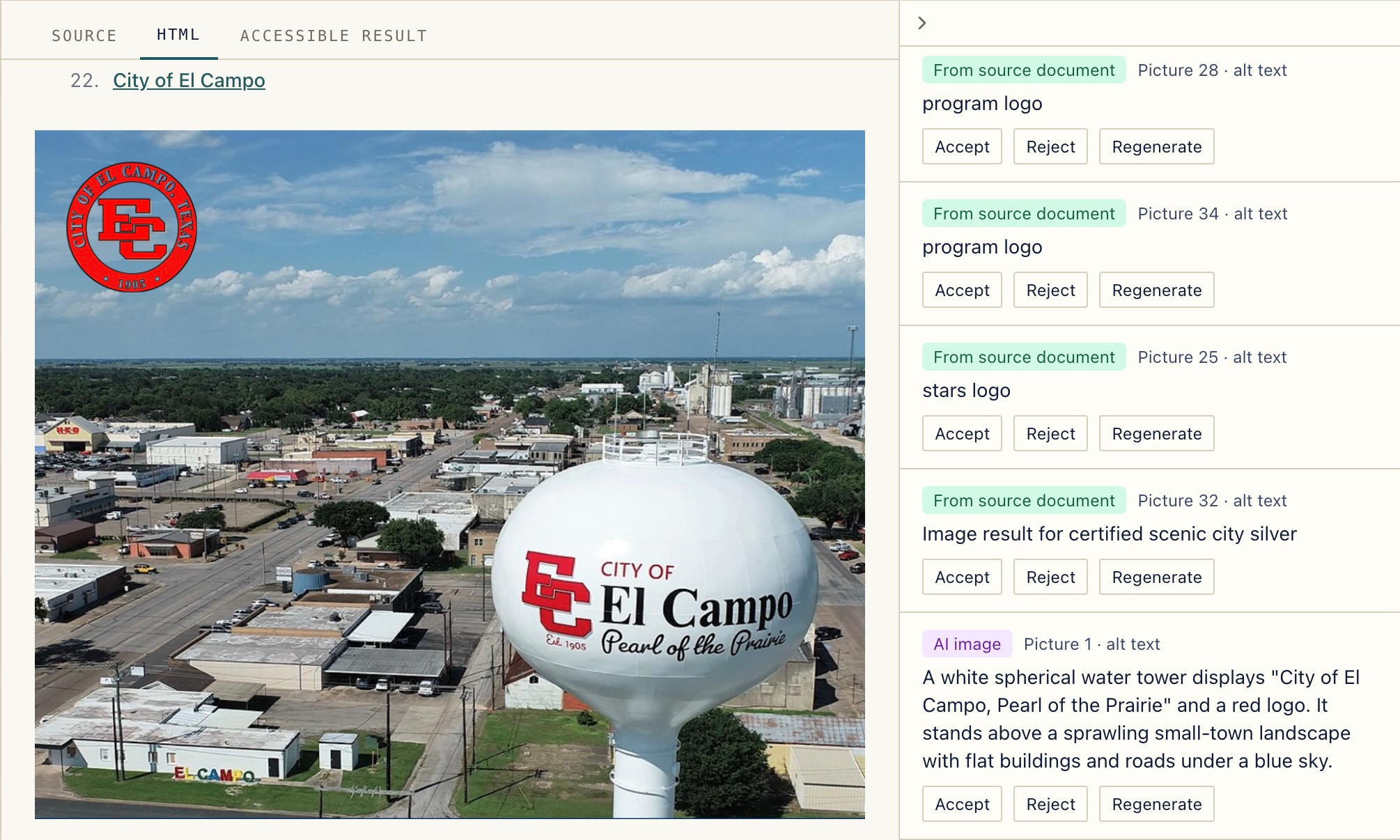
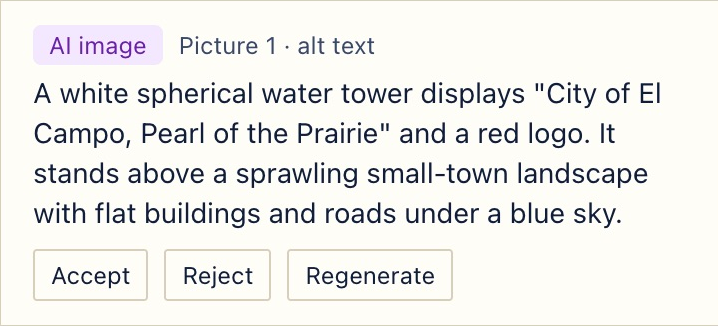
Example approved description, figure 1, page 1 A white water tower labeled “City of El Campo, Pearl of the Prairie” with red “EC” logo and “Est. 1905”; a red circular seal in the top-left reads “City of El Campo, Texas 1905”; town buildings and roads below under a partly cloudy sky.
Files and review records
You can use Atrium through the portal, WordPress, the API or storage integrations.
Explore integrationsTagged PDF and accessible HTML
PDF and image inputs can be exported as tagged PDF or accessible HTML. PDF/UA-1 is declared only when the file passes validation. Storage pipelines write accessible HTML only.
Conformance statements
Statements for individual documents or projects link each claim to stored evidence.
Review history
Every edit records where it came from and whether a person reviewed it.
Word files are accepted but don't run end to end yet. See supported inputs and outputs.
Discuss a pilot
If you’re considering a pilot, contact us about the documents you publish and how your team reviews them.
Atrium is built by a small team of students. Pricing is per page, with rates and terms discussed with your team.